

Invite families to your team
Families join with your team code or its join link. You approve each one before they see the roster or chat, so a shared code is never a risk.
- Open Team › Settings and find the Codes card. Tap Share next to Team code.
- That sends the code and a join link (athlioapp.com/join/CODE) by text, email or any app you choose. Your public page link is for showing off the team; it does not carry the code.
- When a family asks to join, it appears under Needs you on the Team tab as “Player wants to join” with the parent’s name. They see nothing of the team until you approve.
- Tap Approve. The family lands on the team; their player is on the roster. Decline is right beside it.
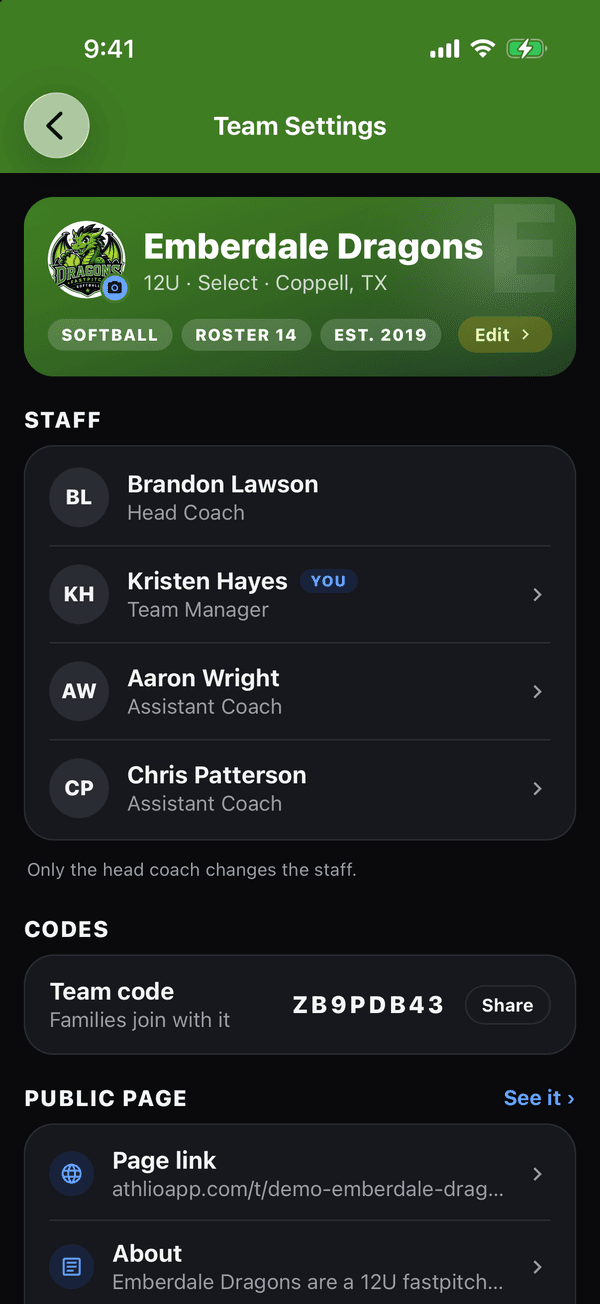
Team Settings: the Codes card with your Team code and Share If that didn’t work
If a family says the code is “not found”, see Join code not found. The code never changes, and that is fine: you approve every join, so a request from someone you do not know is one tap to decline.
Was this helpful?