

Join your child’s team
Your coach sends a join link or an eight-character code. Open the link on your phone, or type the code in the app, and the coach approves you.
- Ask your coach for the team code or join link.
- Tap the link on your phone. If you have the app, it opens straight to the team. If not, install Athlio: Dugout first, then tap the link again or type the code.
- Or open the app, sign in, and tap Enter your coach’s code (in the Locker it reads Got a code from a coach?).
- Add your player (name, birthday, sport, positions) and pick them. The coach gets the request. Your Locker shows Waiting on the coach to approve until then.
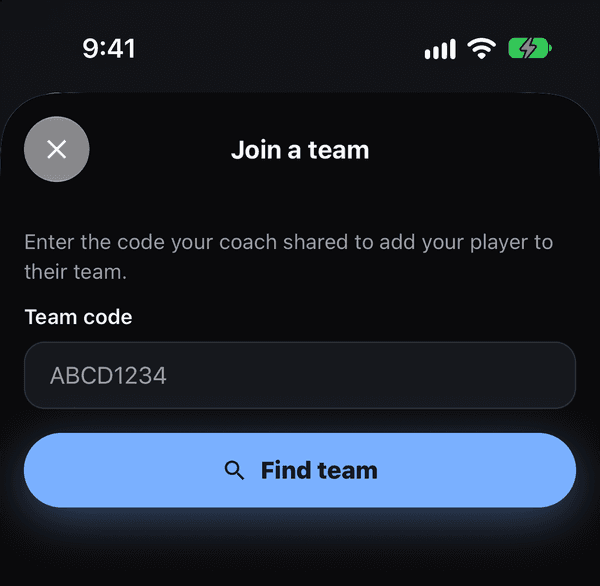
Join a team: enter the code your coach shared If that didn’t work
Waiting more than a day? Message the coach directly; approvals are under Needs you on their Team tab. If the code says not found, ask the coach to tap Share next to the Team code so it arrives exactly as the app wrote it.
Was this helpful?