

Run tryout day: check in, score, decide, send
A tryout page has five tabs: Info, Sign Ups, Check in, Score and Decision Board. Check in and Score need Coach Pro. You can score on several phones at once, and scoring keeps working when the field has no signal.
- Set up scoring. On the Score tab, set up the session first; check-in opens once it exists.
- Check in. Tap each player as they arrive. Use Assign groups to split them into Group A, B, C. Walk-ups join from the Walk-up QR button here.
- Score. Assistant coaches open the tryout’s Score tab on their own phone and tap Join session (they must be on your staff). Connect once, then score through dropouts.
- Decision Board. Every player ranked, with the coaches’ scores averaged. Add a note, or decide Offer, Call back or Cut.
- Send. Tap Email on a player, or Email all once everyone has a decision. Choose what goes out (Player reports, Decisions, Staff summary), tap Review & Send, then Send.
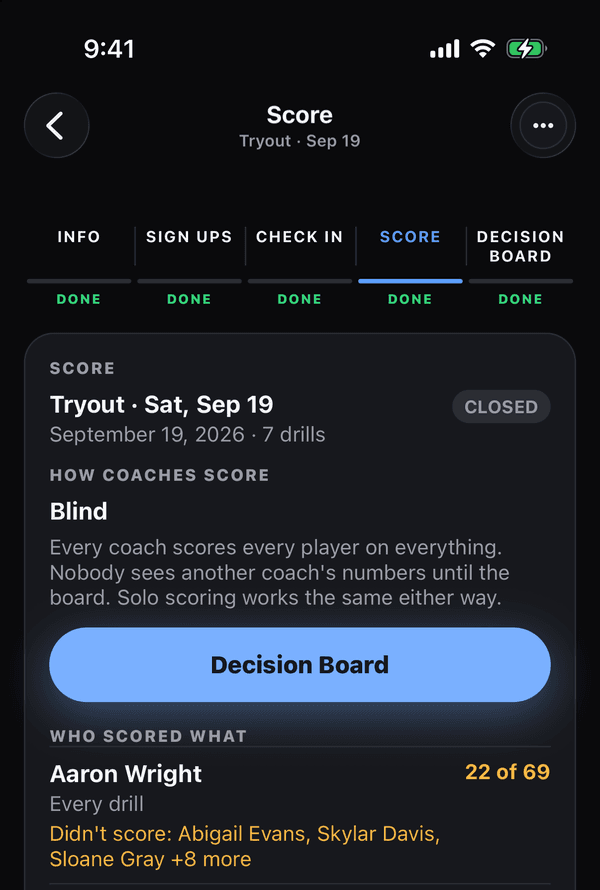
The Score tab: how coaches score, and who scored what If that didn’t work
If a coach’s scores are missing from the board, they were tapped offline; they still count if that phone reconnects within 72 hours of the session closing. See Scores not syncing.
Was this helpful?